Custom Tools for Legal Pros

Legal Workflow Automation Built for the Way You Actually Work

DocketForge builds custom scheduling, document, and workflow automation tools for court reporting agencies, litigation support firms, and legal support companies.

What We Build

Production-ready tools designed to eliminate the most tedious parts of legal support operations.

Scheduling

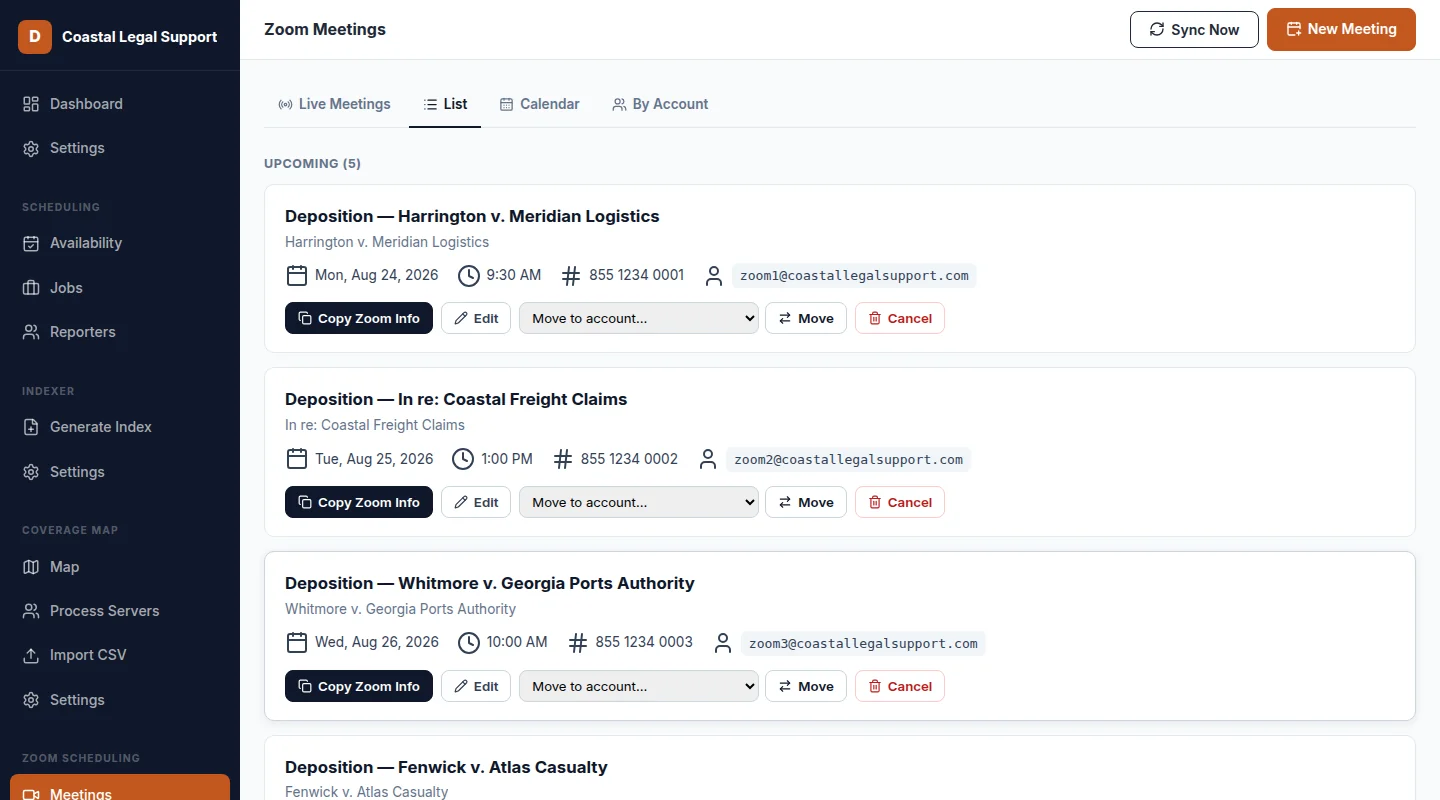
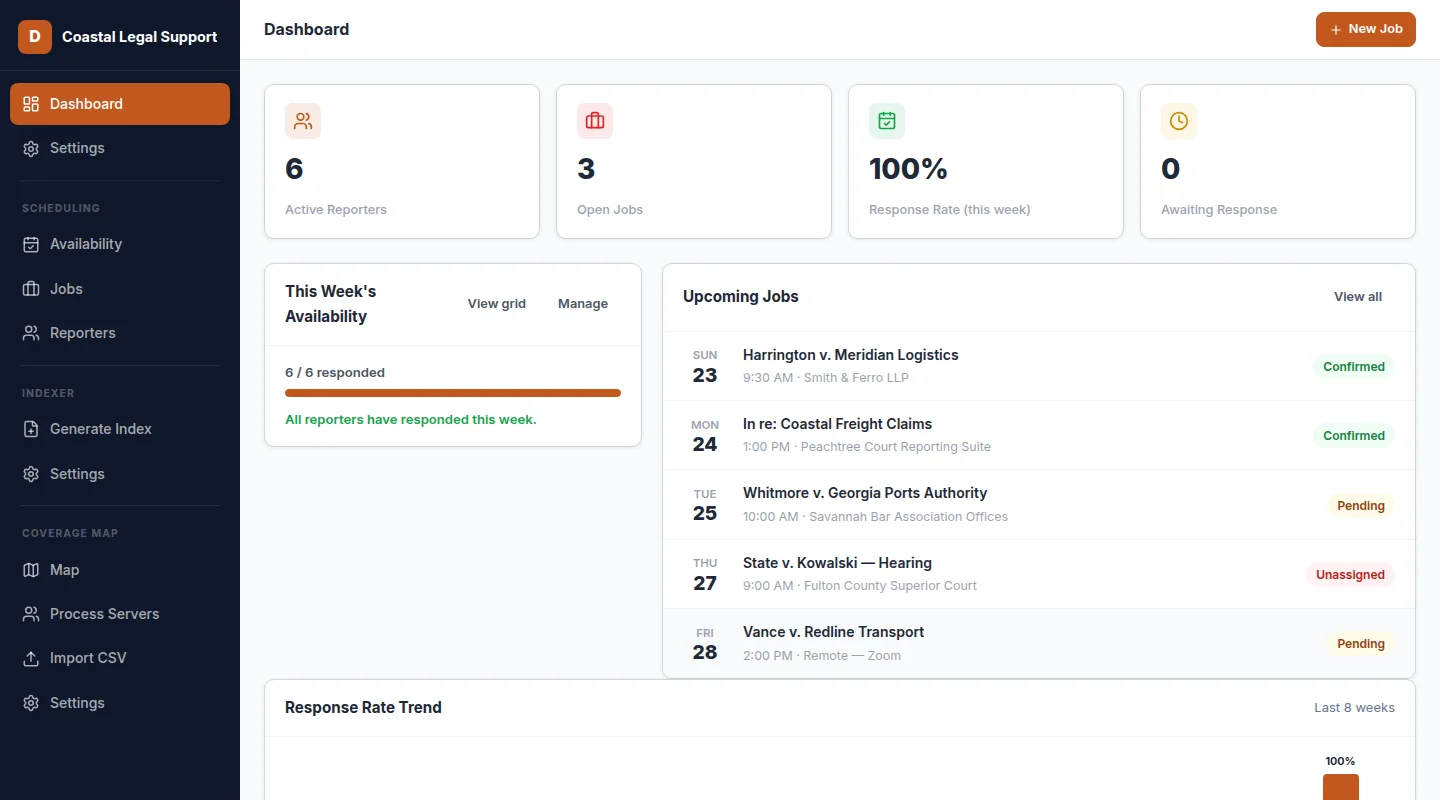
DepoSync

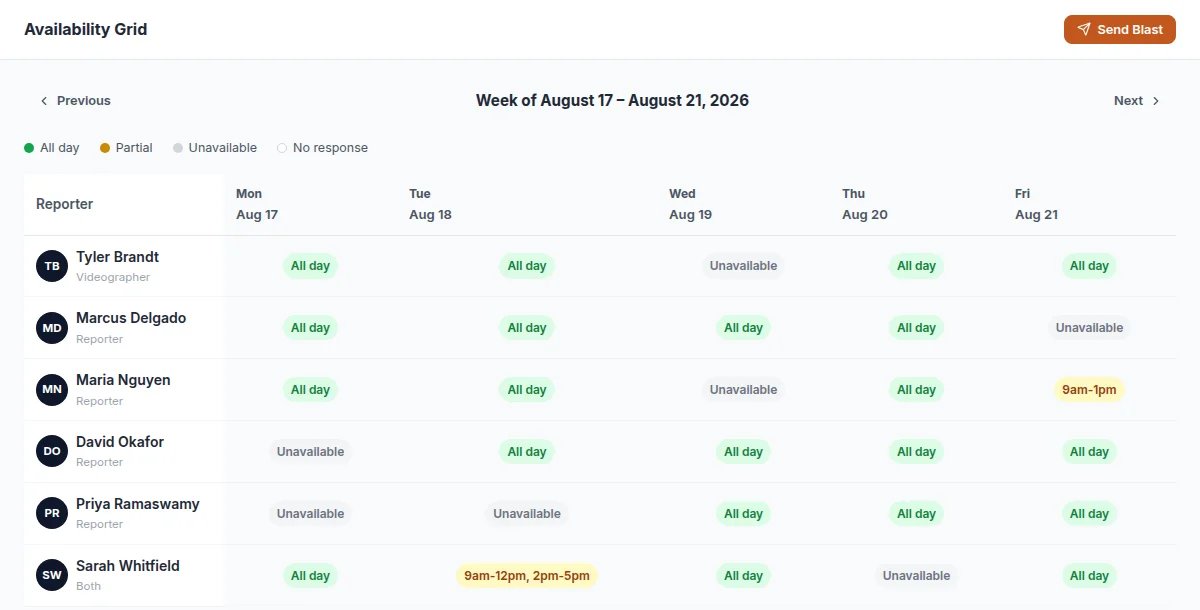
Court Reporter Scheduling Automation

Send availability requests to your freelance reporter roster, collect responses via a form, and automatically populate your calendar. No more back-and-forth emails chasing down coverage.
Document Automation

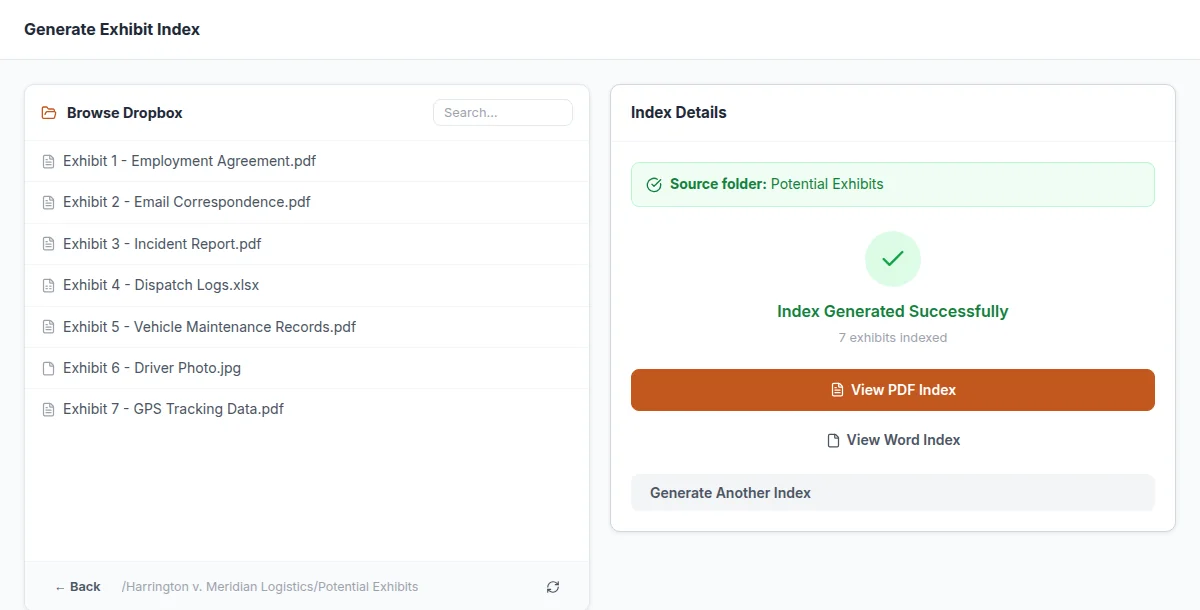
CaseLink

Document Indexing & Packet Builder

Connects to your Dropbox, catalogs all files in a folder, and generates a professional PDF and Word document with hyperlinked file names. Built for litigation support teams.

Territory Management

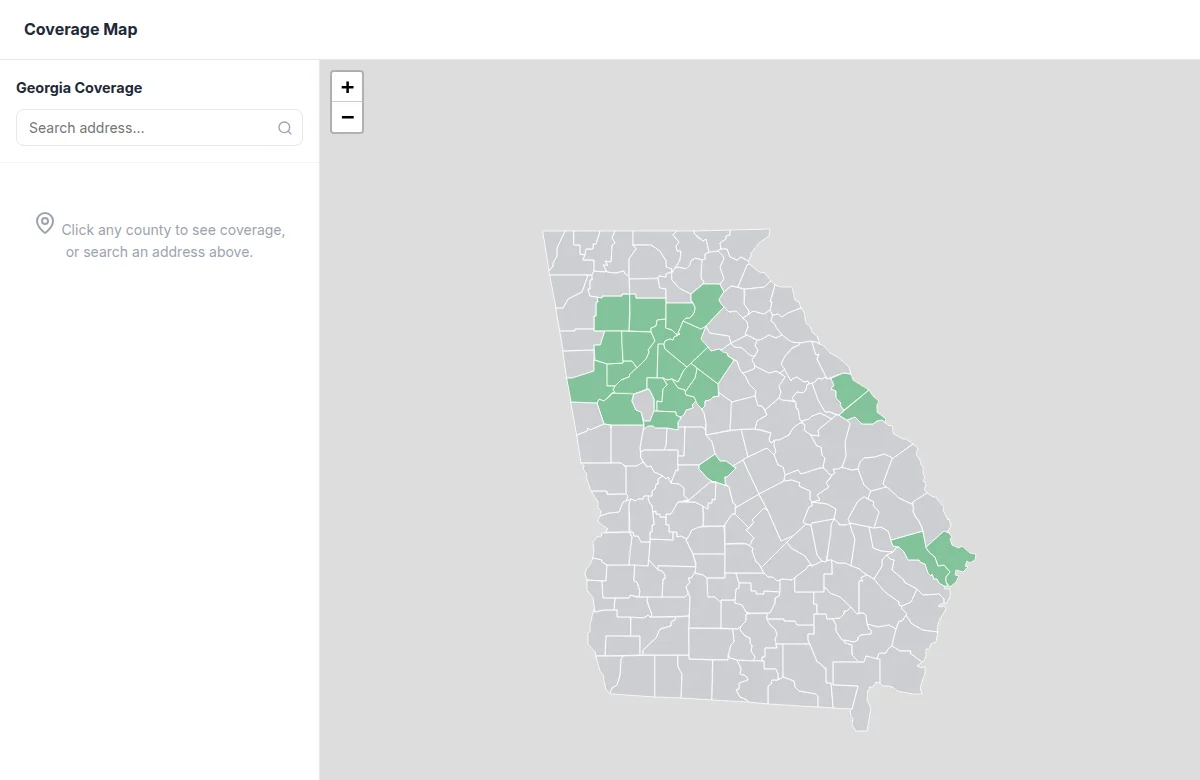
Coverage Map

Process Server Territory Visualization

An interactive county-level map showing exactly which counties each of your process servers covers. Add, edit, and import your team in minutes — and always know who covers where.

How It Works

A simple, transparent process from problem to solution.

01

Tell Us Your Workflow Problem

We start with a call to understand exactly where your team loses time and what manual tasks are slowing you down.

02

We Build a Custom Tool

No templates. No generic SaaS. We engineer a targeted solution or automation that fits your exact operational process.

03

You Save Hours Every Week

Deploy it, use it, and watch repetitive tasks disappear. Your team gets their time back to focus on high-value work.

Why DocketForge

We understand legal support operations. We build tools that actually fit.

Built for Legal Operations

Not generic software. Everything we build is designed around how court reporters, litigators, and support teams actually work.

Simple, Predictable Pricing

One setup fee to get you onboarded and configured. One flat monthly rate that covers your entire agency — no per-user fees, no surprise charges.

Tools Already in Use

Real automations deployed at real firms. Not vaporware. Our core products are battle-tested daily.

Direct Developer Access

You work directly with the developer who built your tool — not a tiered support ticket queue.

Works With Your Stack

Google Sheets, Dropbox, Google Calendar, and more. We integrate with the tools you already rely on.

Frequently Asked Questions

Answers to the questions we hear most from court reporting agencies and legal support firms.

What types of companies does DocketForge build tools for?

DocketForge builds workflow automation tools for legal support companies — specifically court reporting agencies, deposition services, litigation support firms, legal copy and document services, and process serving companies. We do not build tools for law firms or attorneys directly.

How does DepoSync automate court reporter scheduling?

DepoSync sends automated availability requests to your freelance reporter roster via email. Reporters respond through a simple form, and DepoSync automatically confirms the assignment and updates your calendar — eliminating the back-and-forth coordination that typically takes hours per week.

What does CaseLink do for litigation support teams?

CaseLink connects to your cloud storage (currently Dropbox), scans a case file folder, and automatically generates a professionally formatted PDF and Word document index with hyperlinked file names. What used to take 20–30 minutes per case file is done in seconds.

How does DocketForge pricing work?

DocketForge charges a one-time setup fee to onboard and configure your agency, followed by a flat monthly subscription that covers your entire team. There are no per-user fees — your whole agency gets access for one predictable monthly rate.

Can DocketForge build a custom tool for my specific workflow?

Yes. Beyond DepoSync, CaseLink, and Coverage Map, we scope and build custom automations for legal support operations. If you have a manual, repetitive workflow that is costing your team time, we can likely automate it.

What integrations do your tools support?

Current integrations include Dropbox, Google Calendar, and email. Additional integrations with Google Drive, SharePoint, Box, and Egnyte are in development.

Let's talk workflow.

Tell us about your biggest operational headache. We'll show you how automation can fix it.

Response time Within 1 business day
15-minute intro call
No obligation
Custom solution scoped to your needs

Request a Demo

Fill out the form below and we'll get back to you to schedule a quick call.

Thanks! We'll be in touch within 1 business day.